
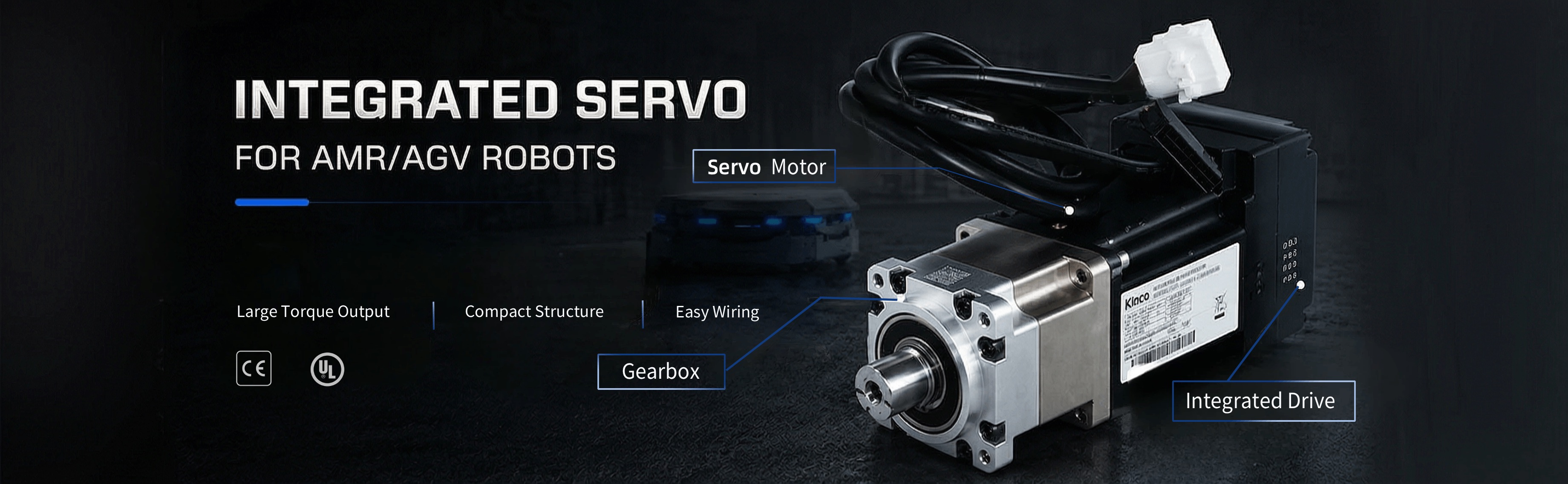
The iGMK is an all-in-one servo solution integrating a servo drive, motor, and gear motor, designed specifically for AMR and AGV robots in the rotating and jacking part that requires large torque output.
The direct connection between motor and reducer achieves higher transmission efficiency and control accuracy, while also making the overall structure more compact and easier to integrate with other system components.
Among Kinco’s complete lineup of all-in-one servo products, the iGMK stands out with its extremely short body length — a feature highly preferred by AMR/AGV manufacturers seeking greater space utilization.
Features
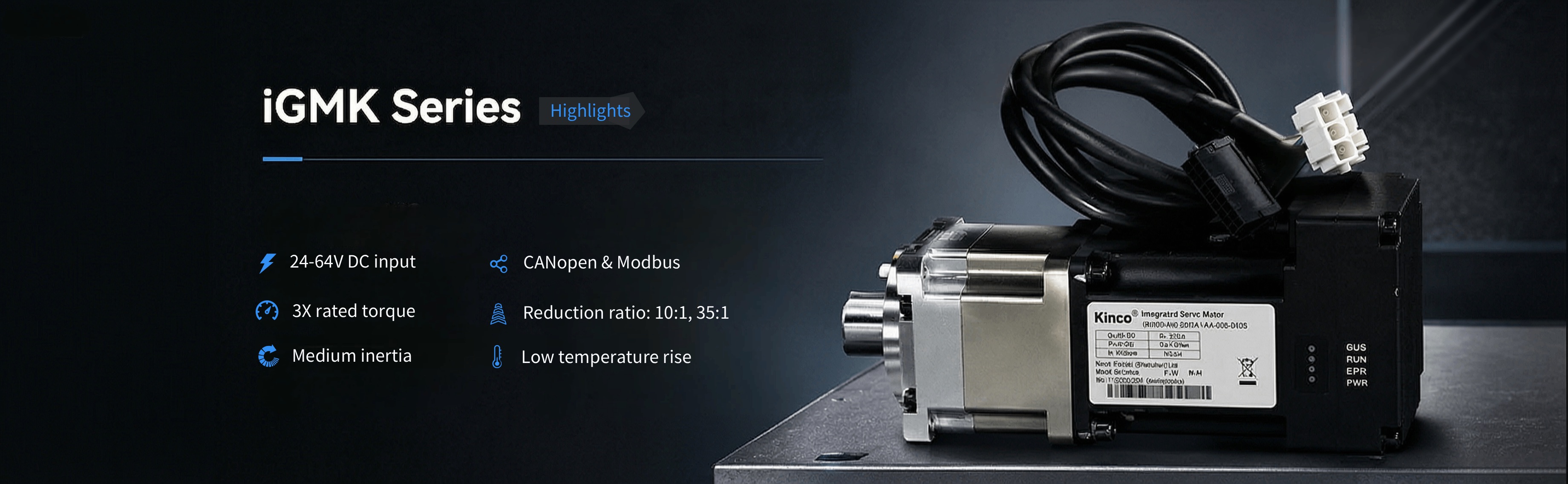
- Wide voltage input: DC 24 V–60 V
- Supported communication protocols: CANopen, Modbus RTU
- Power range: 400 W–750 W
- Speed ratios: 10, 35 (customizable)
- Overload capacity: 3x rated torque, with low temperature rise and low noise
- Protections: Overvoltage, undervoltage, motor overheat (I²T), short circuit, drive overheat
- Compact structure: Facilitates vehicle body miniaturization
- Modular motion control components: High reliability, quick assembly and disassembly, saving 50% of installation time
- CE, UL approved


The iGMK supports CANopen, Modbus control methods, and is widely used in logistics storage equipment, mobile handling equipment, sorting vehicles, mobile service robots, AMRs, AGVs, and related fields.
Specifications
| Model parameter | iGMK60D-040-DM■K-AA-000-GXXX | iGMK80D-040-DM■K-AA-000-GXXX | iGMK80D-075-DM■K-AA-000-GXXX |
| Power | Rated 48VDC(24VDC〜 60VDC) | Rated 48VDC(24VDC〜 60VDC) | Rated 48VDC(24VDC〜 60VDC) |
| Logic power | 24VDC | 24VDC | 24VDC |
| Rated power Pn (W) | 400 | 400 | 750 |
| Rated torque Ts (Nm) | 1.27 | 1.27 | 2.39 |
| Rated speed nN (rpm) | 3000 | 3000 | 3000 |
| Rated current In(A) | 10 | 10.3 | 18.1 |
| Max current Im(A) | 32.1 | 33 | 62 |
| Brake holding torque (Nm) | 2 | 1.5 | 4 |
| Complete machine | |||
| Reduction ratio | 10; 35; 50 | 35 | 35; 50 |
| Rated torque Ts (Nm) | 11.81; 40 ; 45 | 40 | 75.3; 85 |
| Rated speed nN (rpm) | 300; 85; 60 | 85.7 | 85.7; 60 |
| Max torque Tm(Nm) | 30; 90 ; 90 | 120 | 170 |
| Max speed (rpm) | 350; 100; 70 | 100 | 100; 70 |
| Max radial force N | 700 | 1300 | 1300 |
| Max axial force N | 600 | 1000 | 1000 |
Note 1: ■ = A: Without brake
B: With brake
Note 2: GXXX=G010: Reduction ratio 10
G035: Reduction ratio 35
G050: Reduction ratio 50
Note 3: The reduction method used by iGMK in different scenarios is different.
If you need to use it in more than 40 degrees, please contact the manufacturer. Note 4: If you need other gear ratios, please contact regional marketing representative.
| Other specifications | |
| Energy consumption brake | There is no brake circuit inside the driver, and an external brake module is required |
| Overvoltage alarm voltage | The default is 68±2 V |
| Undervoltage alarm voltage | The default is 18±2V |
| Cooling mode | Natural cooling |
| Logical loss power(mW) | 900 |
| Duty | S3-10min-60%(intermittent periodic duty,cycle time 10min,60% working time) S1 (continuous duty) torque must be derated to 70% |
| General function | |
| Input specification | 4 channel digital input, COMI terminal; High level: 12.5 ~ 30VDC Low level: 0 ~ 5VDC ,Input impedance: 5KΩ Maximum frequency: 1KHz |
| Input function | Freely defined as required, the functions are as follows: drive enable, drive error reset, drive mode control, speed loop proportional control, positive limit, negative limit, origin signal, command reverse, internal speed segment control, internal position segment control, emergency stop, start to find the origin, command activation, electronic gear ratio switching, gain switching |
| Output specification | 1 digital output, OUT1 for the open collector output, the highest voltage 30V, driving capacity of 100mA |
| Output function | Freely defined according to needs, the functions are as follows: driver ready, driver error, motor position to, motor zero speed, motor lock brake, motor speed to, index Z signal appears, maximum limit speed in torque mode, motor lock shaft, motor limit medium, origin finding |
| Protect function | Overvoltage protection, undervoltage protection, motor overheat (I2T) protection, short circuit protection, drive overheat protection |
| Bus function | |
| Modbus/RS485 | It supports a maximum 115.2Kbps baud rate and can communicate with the controller using the Modbus RTU |
| CANopen | It supports a maximum 1Mbps baud rate and can communicate with the controller using the CANopen |
| Working Temperature | -20℃〜40℃(no freezing),When the operating temperature exceeds 40°C, the drive needs to be derated(derating 2%/1℃) |
| Working Humidity | 20%〜80% (no condensation) |
| Storage temperature | Short term storage (within 1 month): -20 ℃~65 ℃. Long term storage (over 1 month): -10 ℃ to 55 ℃. |
| Protection grade | IP54 |
| Altitude | Less than 3000m, power dreating 1.5%/100m between 1000m and 3000m. |
| Atmospheric pressure | 67kpa~106kpa |
| Installation method | Motor flange mounting (Reduction ratio 10,35,50) Side ear installation( (Reduction ratio 245) |
Files to download
Here you will find a comprehensive set of technical resources for our robot joints, robotic motors, servo modules, and robotic wheeled servos—including datasheets, user manuals, debugging software, brochures, selection guides, as well as CAD files and 3D models.
Drawing (35:1 gear ratio)
Drawing (10:1 gear ratio)
FAQs
Q1: What is the iGMK integrated servo geared motor?
A: The iGMK is a compact integrated servo geared motor. It combines a servo motor, servo drive, gearbox, encoder in one unit. It is designed specifically for rotary and lifting axis applications of mobile robots such as AMR/AGV, as well as other general automation applications.
Q2: How is iGMK different from a standard servo motor?
A: A standard servo motor usually requires a separate servo drive and external gearbox. iGMK has integrated the gearbox and driver, which can be directly connected to the controller for use.
Q3: Where can I download the datasheet and manual?
A: Datasheets, user manuals, and PC debugging software should be downloaded from the official website or requested from technical support.